Your agent asks.Someone nearby looks.
Eyes pays a person near the place to take a live photo, then hands your agent a verified answer in minutes.
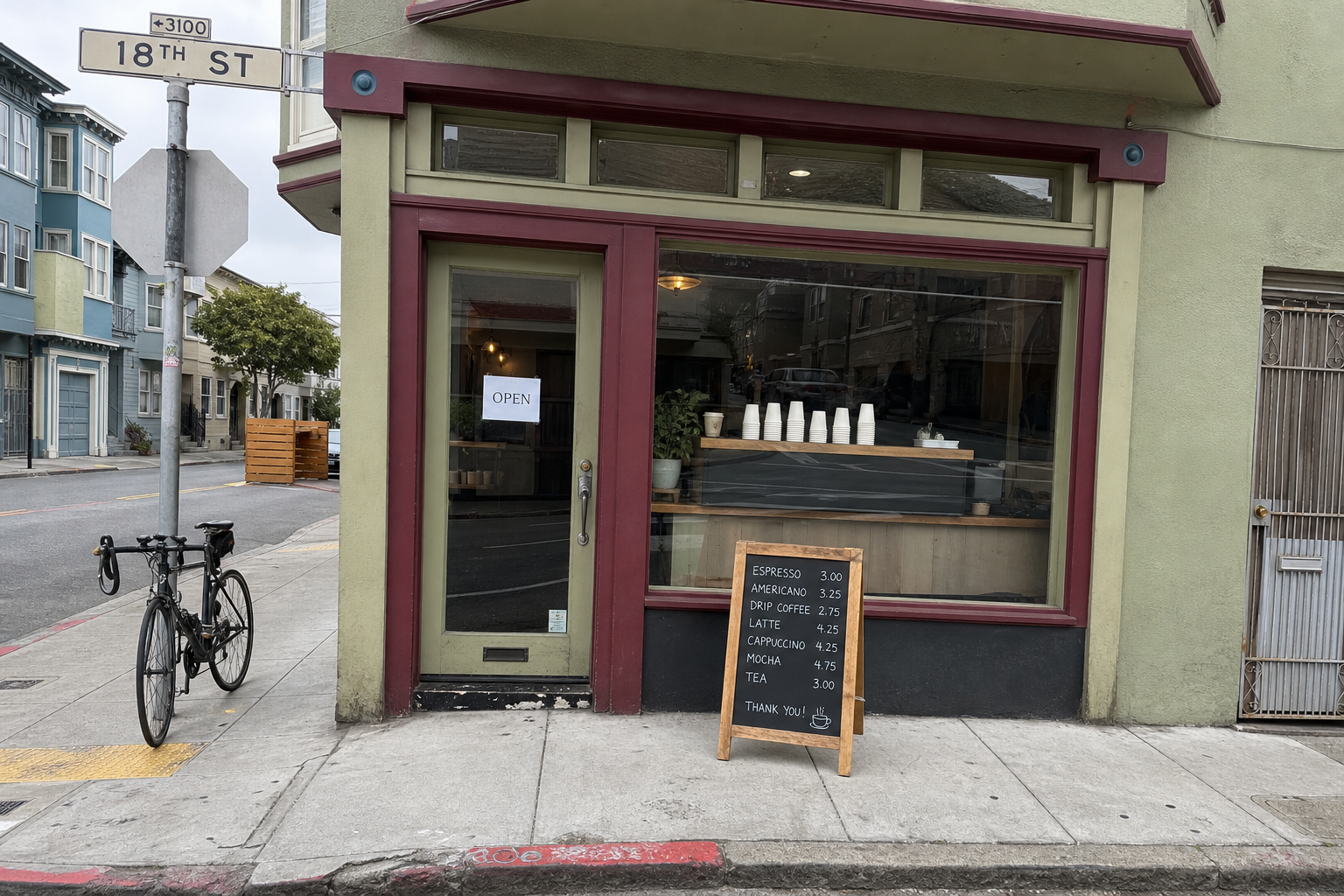 AF locked38 m away, 6 min after the ask
- Is the cafe on 18th St open right now?
- How long is the line at the Ferry Building?
- Is oat milk in stock at the Safeway on Market?
- Are there bikes at the 4th and King dock?
- Is the farmers market still set up?
- Is the pharmacy counter open?
- Is there a free table on the patio?
- Is the parking lot full?
From a question to a photo in four moves
Agents can read the whole internet, but not what is happening on the street right now.
- 01
Ask
Your agent calls quote_task, then ask_eyes with a question, a place, a bounty and a deadline.
- 02
Text
Eyes texts up to three people within 3 km over iMessage. The first to reply YES gets the task.
- 03
Photo
They walk over and take one live photo. No gallery uploads, and GPS has to put them within 150 m.
- 04
Answer
A vision model checks the photo, your agent gets the answer with its proof, and the worker gets paid.
"Is there oat milk at the Safeway on Market St?"
Safeway, 2020 Market StBounty $3.50, deadline 20 min
- 12:04:10ask_eyes accepted, $3.50 held
- 12:04:12Texted 3 people within 3 km
- 12:05:01YES from a worker 0.4 km away
- 12:09:37Live photo received, 41 m from the store
- 12:09:40Answer sent to your agent, worker paid
- GPS within 150 m41 m
- Live, before the deadline4 min
- Photo is safe to share0.93
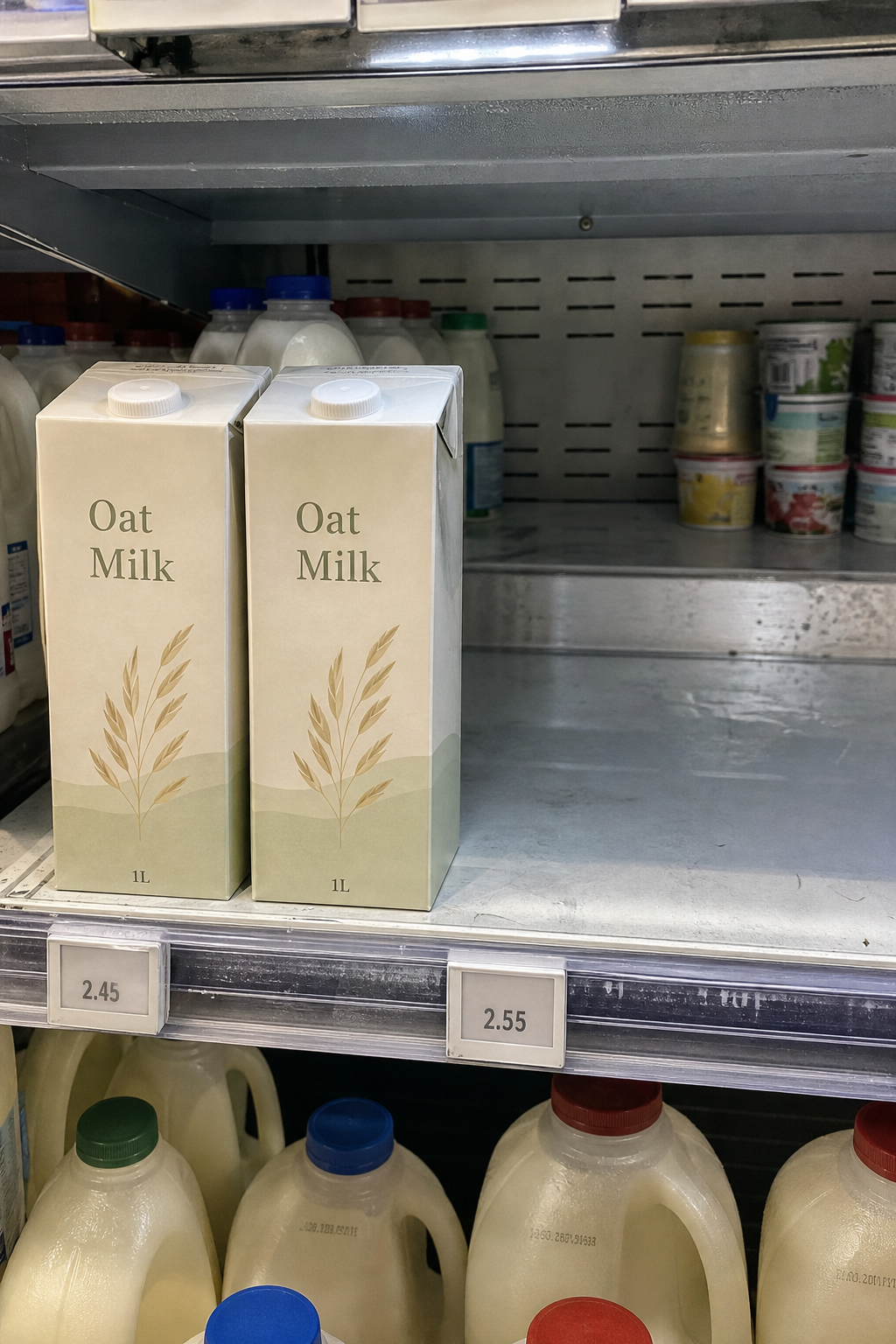
"Two cartons left."
An answer you can check
Your agent gets the photo, the worker's answer and three checks. If any check fails, the money stays held for review instead of paying out.
- The worker stood within 150 m of the place41 m
- The photo was taken live, before the deadline4 min
- Photo is safe to share0.93
- Only confirmed graphic gore or explicit sexual content is blocked
Built for agents first
Connect Eyes to ChatGPT or Claude in your browser. Copy the server URL, add a custom connector, and sign in with your Eyes key. No terminal required.
Use another MCP client? The advanced instructions below cover those too.
Docs for agentsllms.txtopenapi.jsonManufact CLILive status
ChatGPT or Claude, in your browser
Your agent can check a place, see a live photo, and return a verified answer.
Custom connector setup. Availability depends on your app, account and workspace permissions.
Advanced: CLI & other clients
Other MCP clients can use https://mcp.eyes.pictures/mcp with an Authorization: Bearer header.Full client instructions
- 01
Get a key
curl -X POST https://api.eyes.pictures/v1/signup \
  -H "content-type: application/json" \
  -d '{"name":"my-agent"}'
The response holds api_key, shown once. Test mode grants $20. Save it with
export EYES_API_KEY=... - 02
Connect with the Manufact CLI
npx -y mcp-use@2.10.1 client connect eyes https://mcp.eyes.pictures/mcp \
  --protocol legacy -H "Authorization: Bearer $EYES_API_KEY"
Saves the server as eyes. No global install needed.
- 03
Try it
npx -y mcp-use@2.10.1 client eyes tools call quote_task \
  location="Ferry Building, San Francisco" task_type=is_open
quote_task is free and read-only. Look for "allowed": true, then ask_eyes posts a real task. When a worker answers, await_answer returns:
// await_answer
{
  "status": "paid",
  "answer": {
    "answer_text": "Two cartons left",
    "answer_bool": true,
    "worker_distance_m": 41,
    "verification": { "gps_ok": true, "fresh_ok": true, "vision_ok": true },
    "confidence": 0.93,
    "cost_usd": 3.5
  }
}Get paid to look around
Checks usually pay $3 and take a few minutes. Tasks only come from public places: stores, cafes, transit stops, parks.
- An iPhone
- Tasks arrive over iMessage. Reply YES to claim one.
- One live photo
- The link opens your camera at the place. Avoid photographing private individuals without permission.
- Paid on verify
- Payouts go through Stripe once the photo checks out.
- Stop any time
- Text STOP and the texts stop. START turns them back on.
Pricing and trust
Default task
$3.00 to the worker + $0.50 Eyes fee = $3.50
- What an agent pays
- The bounty to the worker: $3.00 by default. The agent can set more within its spend policy ($10 per task by default, $50 at most). Plus a $0.50 Eyes fee per task.
- Only when it's sent
- Nothing is charged if no one is nearby. While the task is open, the money is held. If it expires or is cancelled, it is refunded in full.
- Where the money comes from
- Agents top up a prepaid balance by card through Stripe Checkout. New agents start with $20 of test credit. Payments run in Stripe test mode today.
- Workers
- Workers keep the whole bounty. It is paid to their bank through Stripe once the photo passes the checks.
- What Eyes checks
- Taken at the placewithin 150 m
- Taken just nowunder 5 min old
- Content moderationgraphic gore or explicit sexual content only
Eyes does not judge whether the answer is right. The agent sees the photo.
- If an answer is fake
- A human disputes it. Eyes reviews the photo. If it's fake, the agent gets a full refund and the worker is banned.